 Nanospell Spell Checking Software Components
Nanospell Spell Checking Software Components
Nanospell Spell Checking Software Components
ASPNetSpell is also compatible with Razor... but installation is a little different.
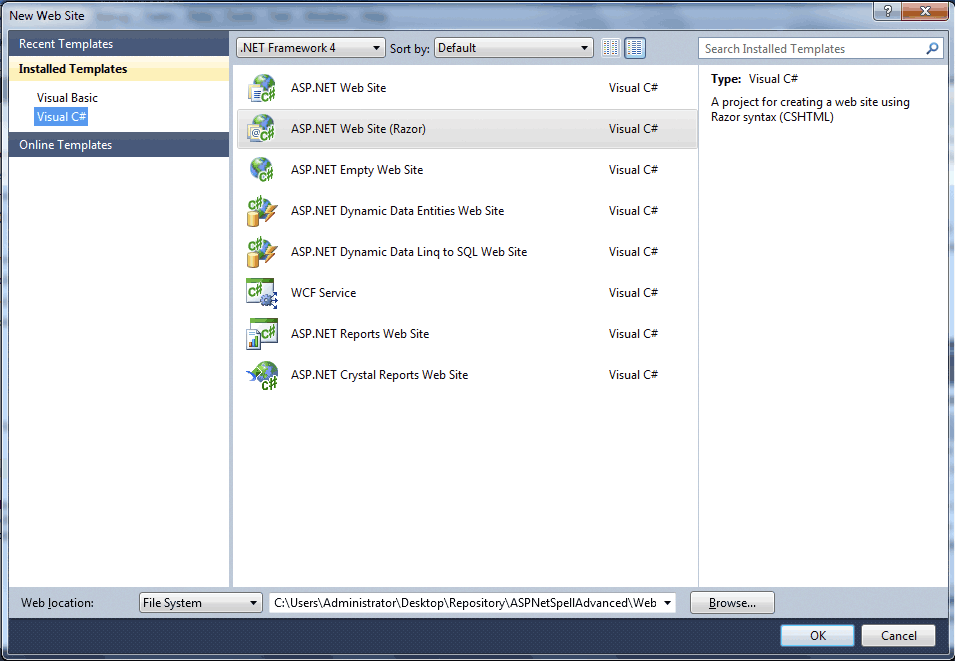
If you are using ASP.net MVC with Razor - please follow this guide...
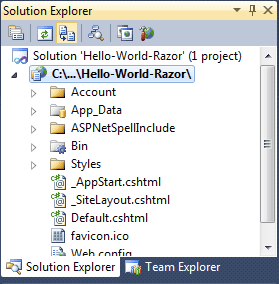
The ASPNetSpellInclude folder should be installed into installed into application's root folder. The best way to do this is to drag-and-drop this folder into Solution Explorer from windows.
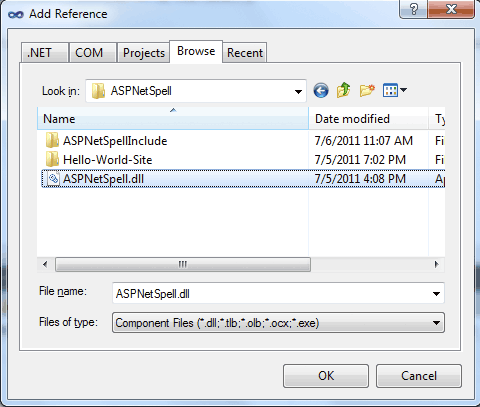
Add the ASPNetSpell.dll as a reference to the project by right clicking on "References" in the Solution Explorer and browsing to the ASPNetSpell.dll you downloaded.
Click "Rebuild Solution" at this point. ASPNetSpell.dll will automatically be copied into your /bin directory. This will activate Intelisense in Visual Studio - which makes coding much easier.
You can now add spell-checking buttons to your Razor pages - and also add as-you-type spellchecking to any or all textareas in your veiws.
The classes to do this are in the ASPNetSpell.Razor namespace - and are rendered using the getHtml() function.
Note:
Read More about the ASPNetSpell.Razor API
E.g.
@{


    /// Create a ASPNetSpell spell- as-you-type feature for any textarea
    ASPNetSpell.Razor.SpellAsYouType mySpell = new ASPNetSpell.Razor.SpellAsYouType();
    mySpell.InstallationPath = ("/Content/ASPNetSpellInclude");
    mySpell.FieldsToSpellCheck = "TextArea1";


    /// Create a ASPNetSpell spellchecker button
    ASPNetSpell.Razor.SpellButton mySpellButton = new ASPNetSpell.Razor.SpellButton();
    mySpellButton.InstallationPath = ("/Content/ASPNetSpellInclude");
    mySpellButton.FieldsToSpellCheck = "TextArea1";
}
<p>
    ASP.NET Web Pages make it easy to build powerful .NET based applications for the web.
</p>
<textarea id="TextArea1" cols="20" rows="2">Helllo Worlb.

@Html.Raw(mySpell.getHtml())

@Html.Raw(mySpellButton.getHtml())
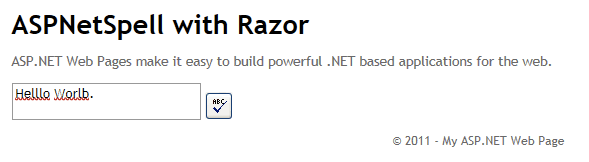
Build the solution to see ASPNetSpell working with Razor.