Thanks to Lee Anderson for this excellent tutorial - particularly useful on closed intranets where you may have a host-header to create a "short name" for your internet in user's url address bar.
Part 1 - Create a Host Header in IIS7
(...which is easier than 6 for once)
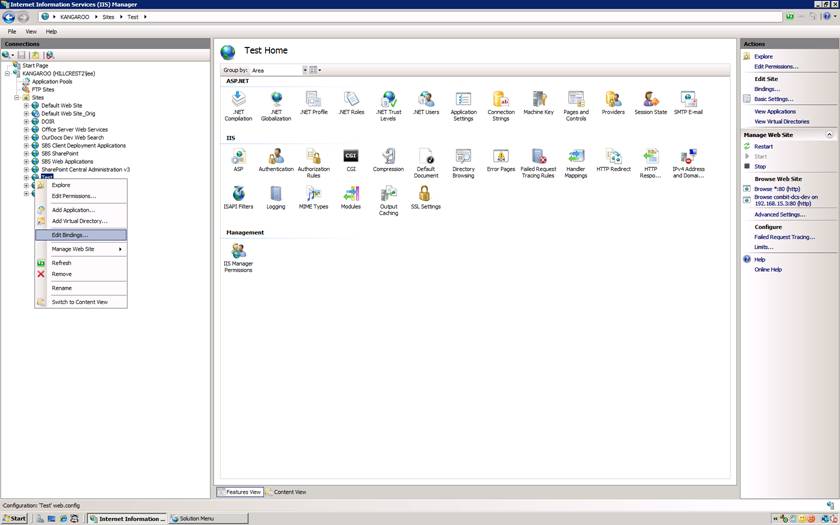
Open up IIS manager
Select the web server you want to play with
Expand sites, select the site you want to set up the host header for
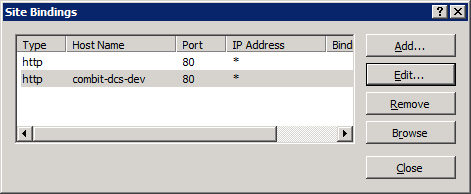
Right click on the site, click on edit bindings
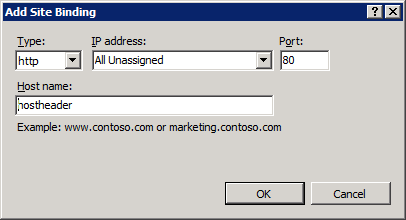
Click on "Add"
Set the type, IP address and port as desired, nominate a host header name
Part 2 - Adding the Host Header to DNS
This example is for a CNAME.
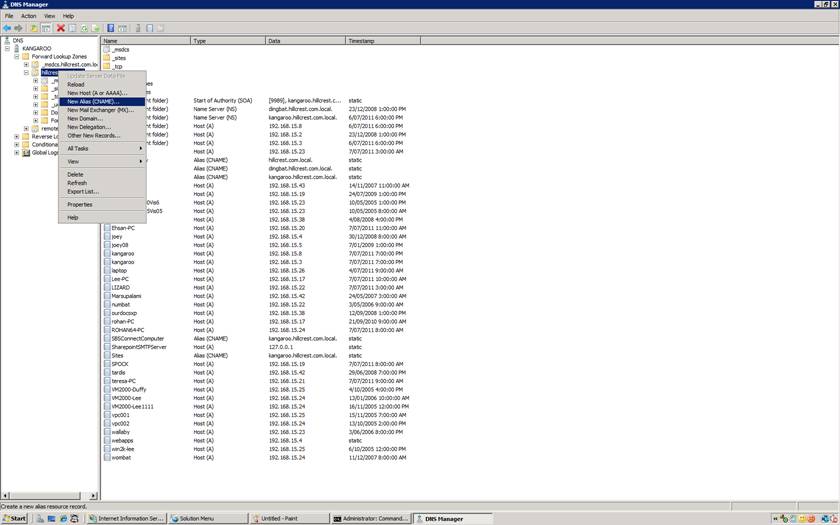
Start > Administrative Tools > DNS
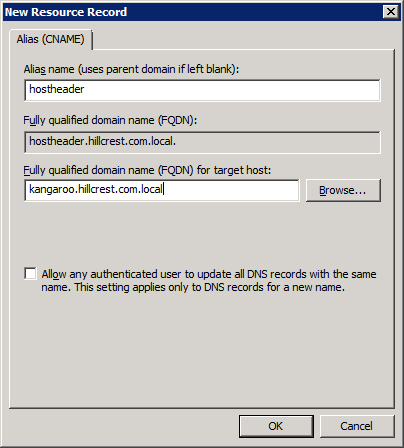
Expand the DNS server, forward lookup zones, then the name of your domain. Right click on your domain and click on new alias.
Enter in the name of the host header and the FQDN of your server
Part 3 - Avoiding Loopback
There is a catch, if you are attempting to view the site via the host server, you will probably get tripped up by the loopback check. To get around this view the site from another PC
 Nanospell Spell Checking Software Components