 Nanospell Spell Checking Software Components
Nanospell Spell Checking Software Components
Nanospell Spell Checking Software Components
The most common mistake is not forget to drag-and-drop the ASPNetSpellInclude include folder that you downloaded into the root (top level) of your website.
This results in the following errors:
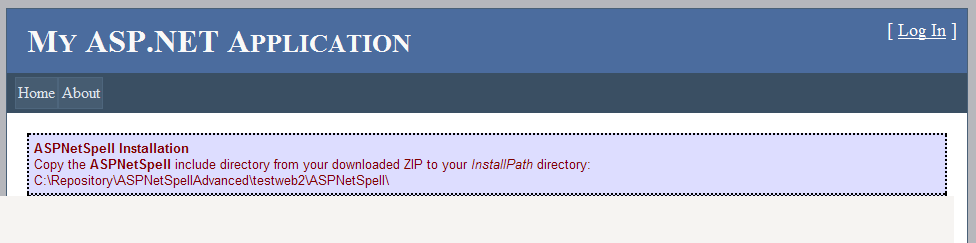
In such a case - please re-read the Installation Guide
Occasionally developers using AJAX UpdatePannels or Wizard control have experiences issues with SpellTextAreas.
The issue here is with the AJAX framework is not prperly loading javascript include files in this situation.
Solution: Add a reference to /ASPNetSpellInclude/include.js in your document's <head> secton.
We are constantly upgrading this software. If you downloaded APSNetSpell more than a week ago - please:
The second most common issue - especially when going live. If the server can not read the dictionaries - all words will appear to be spelling mistakes.
We are constantly upgrading this software. If you downloaded APSNetSpell more than a week ago - please:
We have free Hello World Projects for ASP.Net 1,2,3,3.5&4 - MVC2 - MVC3 and Razor. Download them and see if they help you get ASPNetSpell working...
There are 3 versions of the ASPNetSpell DLL depending on your ASP.Net version. Make sure you download the right one...
If you receive compiler errors about a "missing reference" - you have installed the wrong version. Remove ASPNetSpell from your toolbox and /bin folder - and then reinstall using the Installation Guide. This time, so not use the "Ajax enabled dll".
Perhaps you have an NTLM authentication issue. Try setting:
You can add this code to your page to get a full read-out of all client-server transactions and errors:
<script type="text/javascript"> var LIVESPELL_DEBUG_MODE = true;</script>
If correct words are shown as spelling mistakes - yet no spelling suggestions are given, then your dictionaries in ASPNetSpellInclude/dictionaries have not loaded:
Try setting
Debugging Scripts
These scripts should help identify any major issues.
If you are still stuck - please Contact us for support - we will be glad to help.
Be prepared to show a URL or a Hello-World project to illustrate the issue clearly.